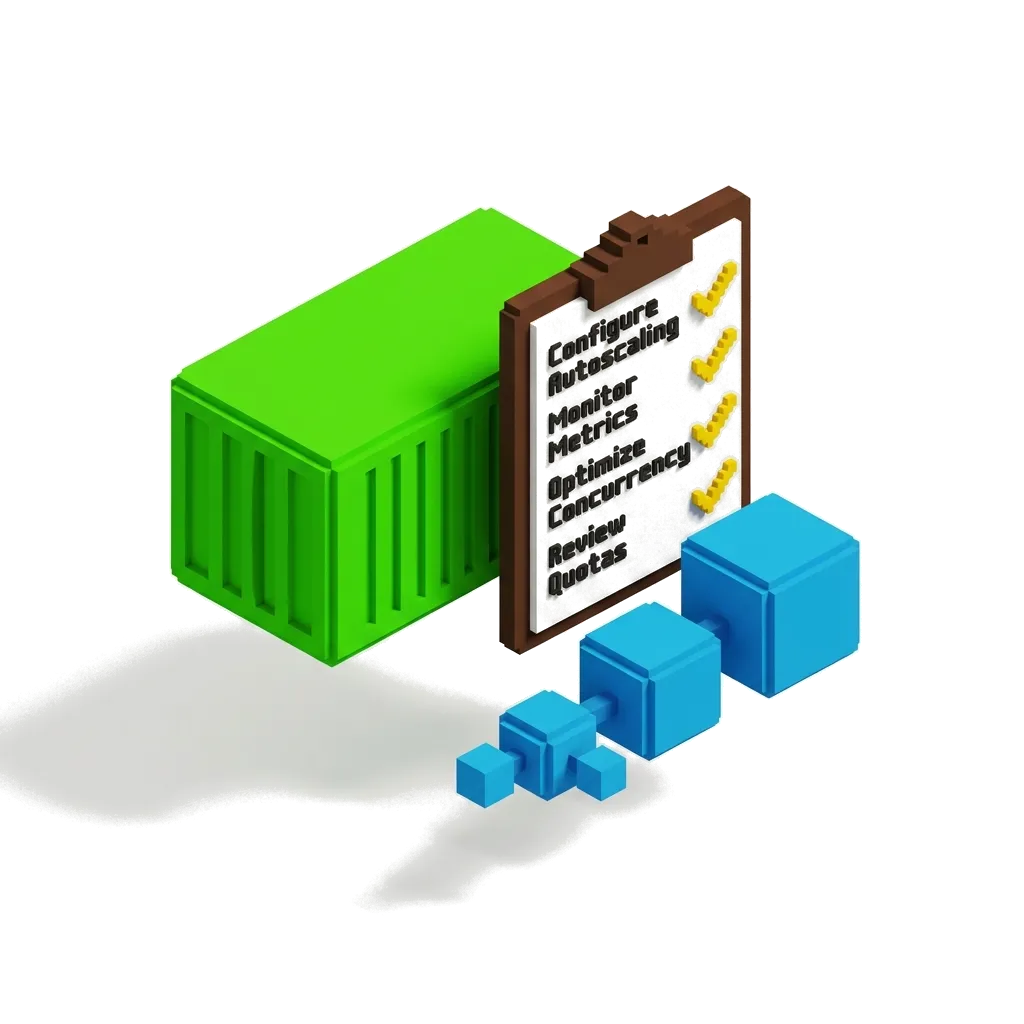
Cloud Run Production Checklist: Min Instances, Concurrency, Cold Starts & Cost Controls | 2026
A production-ready Cloud Run service needs six deliberate settings — right-sized CPU/memory with the correct billing model (request-based for spiky traffic, instance-based for steady load), concurrency tuned to your app's thread safety (default 80, max 1000), min instances to eliminate cold starts on user-facing paths (idle CPU is billed ~90% cheaper), startup CPU boost for slow initializers, max instances as a financial circuit-breaker, and budget alerts plus graceful SIGTERM shutdown as the safety rails.
By Mateusz Chmielewski · Aug 21, 2026 · 15 min read
What Is a Cloud Run Production Checklist?
Cloud Run deploys containers as fully managed, autoscaling HTTP services or batch jobs — Google provisions capacity, load-balances, and scales instances from zero to thousands for you. What it does not choose for you are the per-service settings that determine latency, resilience, and spend: concurrency per instance, minimum and maximum instance counts, the billing model, CPU allocation during startup, request timeout, and how your container reacts to SIGTERM. A production checklist is the opinionated set of values and guardrails you apply on top of the managed defaults before real users and real money flow through the service.
Think of Cloud Run like a commercial airliner on autopilot — the plane flies itself, but no captain departs without the pre-flight checklist. Fuel load (CPU/memory), seat density (concurrency), keeping engines warm on the tarmac (min instances), a hard ceiling on climb rate (max instances), and the brace procedure (SIGTERM handling) are still human decisions, and skipping them is how smooth flights turn into incidents.
| Concept | Explanation | When to use |
|---|---|---|
| Concurrency | Maximum simultaneous requests one container instance handles (default 80, max 1000). Concurrent requests share the instance's CPU and memory. | Tune it down for CPU-heavy or non-thread-safe apps; raise it for lightweight I/O-bound handlers. |
| Min Instances | A floor of warm instances kept running even with no traffic, eliminating cold starts on those instances. | On user-facing services where the ~1s+ cold-start tail is unacceptable; idle CPU is billed ~90% cheaper. |
| Max Instances | A ceiling on autoscaling. When reached, excess requests queue or fail instead of scaling further. | Always — it is a hard financial circuit-breaker against retry storms, DDoS, and runaway clients. |
| Request-based vs Instance-based Billing | Request-based bills CPU/memory only while processing requests (rounded to 100ms); instance-based ("CPU always allocated") bills the whole instance lifetime at lower unit rates. | Request-based for spiky web traffic; instance-based for steady load or background processing between requests. |
| Startup CPU Boost | Temporarily allocates extra CPU during instance startup to cut cold-start latency. | For apps with heavy initialization (framework boot, connection pools, model loading) when you cannot keep min instances everywhere. |
Why Does Cloud Run Still Need a Production Checklist?
The defaults are demos, not production: concurrency 80 on a non-thread-safe app corrupts state under load; zero min instances means every traffic lull is followed by a 1–2s cold-start spike that users feel as random slowness; no max instances means a retry storm or a buggy client loop scales your bill linearly until the budget alert — which you also did not set — fires days later. And a container that ignores SIGTERM drops in-flight requests on every deploy and scale-down, so 'serverless' quietly produces 503s precisely when you ship.
A short checklist closes the gap: explicit CPU/memory and billing model per service, concurrency verified under load, min instances on the user-facing paths where idle CPU time costs roughly a tenth of active time, startup CPU boost for everything else, max instances as a circuit-breaker, and SIGTERM-aware shutdown plus budget alerts as the rails. For private egress to VPC resources (Cloud SQL, Memorystore), see [Route Cloud Run & GKE Egress Through a Static IP with Terraform](/tutorial/serverless-egress-static-ip-terraform), and to attribute Cloud Run spend per team once it grows, use [Per-Team Cost Allocation on GCP: Labels, Folders & Billing Queries](/tutorial/gcp-per-team-cost-allocation-labels-folders-billing-queries).
| Feature | thisService | altA | altB |
|---|---|---|---|
| Billing granularity | Per-request (100ms rounding) or per-instance-lifetime, scale to zero | GKE Autopilot (per pod requests, 24/7 while scheduled) | Compute Engine MIG (per VM second, always-on floor) |
| Cold starts | ~1s+ at zero floor; eliminated with min instances | None once pods are scheduled (pods run continuously) | None, but VM boot on scale-out takes minutes |
| Concurrency model | Up to 1000 requests share one container instance | One pod per workload replica; app decides internal concurrency | OS-level; you size VMs around it |
| Cost ceiling | max instances flag (hard, per service) | HPA maxReplicas + ResourceQuota | MIG max size + quotas |
| Ops surface | Deploy a container; Google runs the rest | Manifests, PDBs, HPA/VPA, node lifecycle | Images, health checks, autoscaling policies, patching |
Prerequisites
- GCP project with billing enabled and the run.googleapis.com API enabled
- gcloud CLI v450.0+ installed and authenticated; Terraform google provider v5.x+ for the IaC path
- roles/run.admin and roles/iam.serviceAccountUser on the project (or owner on a sandbox)
- A container image in Artifact Registry, and an app that listens on $PORT (default 8080)
Step-by-Step Guide
Step 1: Deploy a Secure Baseline with a Per-Service Identity
Deploy the service with its own service account and authentication required, then grant invoke rights explicitly to the callers that need them. Every later checklist item builds on this service, and identity is the one decision that is painful to retrofit. The default compute service account is over-privileged and shared; a dedicated account scopes Blast radius to one service. `--no-allow-unauthenticated` plus `roles/run.invoker` means only identities you list can reach the service — and IAM-denied requests are not billed, so abuse traffic stopped at IAM costs nothing.
gcloud iam service-accounts create payments-api-sa \
  --display-name="payments-api Cloud Run identity" \
  --project=$PROJECT_ID

gcloud run deploy payments-api \
  --image=europe-west1-docker.pkg.dev/$PROJECT_ID/apps/payments-api:1.4.2 \
  --region=europe-west1 \
  --service-account=payments-api-sa@$PROJECT_ID.iam.gserviceaccount.com \
  --no-allow-unauthenticated

# Allow only the frontend's identity to invoke it
gcloud run services add-iam-policy-binding payments-api \
  --region=europe-west1 \
  --member="serviceAccount:frontend-sa@$PROJECT_ID.iam.gserviceaccount.com" \
  --role="roles/run.invoker"
Step 2: Right-Size CPU/Memory and Choose the Billing Model
Define the service in Terraform with explicit CPU and memory limits sized near real p95 usage, and consciously pick request-based billing (`cpu_idle = true`, the default) or instance-based billing (`cpu_idle = false`, "CPU always allocated"). Request-based billing charges $0.000024/vCPU-s and $0.0000025/GiB-s only while requests are being processed (rounded to 100ms) and scales to zero; instance-based charges the lower rates $0.000018/vCPU-s and $0.000002/GiB-s but for the entire instance lifetime with a 1-minute minimum. For spiky web traffic request-based wins; for steady load above ~60–70% utilization, or code that does background work between requests, instance-based is cheaper and avoids throttled CPU between requests.
resource "google_cloud_run_v2_service" "payments_api" {
  name     = "payments-api"
  location = "europe-west1"
  ingress  = "INGRESS_TRAFFIC_INTERNAL_LOAD_BALANCER"

  template {
    service_account = google_service_account.payments_api.email

    containers {
      image = "europe-west1-docker.pkg.dev/${var.project_id}/apps/payments-api:1.4.2"

      resources {
        limits = {
          cpu    = "1000m"
          memory = "512Mi"
        }
        # true  = request-based billing (default): pay only while serving
        # false = instance-based ("CPU always allocated"): cheaper unit
        #         rates, billed for full instance lifetime, 1-min minimum
        cpu_idle = true
      }
    }
  }
}
Step 3: Tune Concurrency Against Thread Safety
Set `--concurrency` deliberately instead of accepting the default 80. Concurrent requests share the instance's vCPU and memory, so the right value is the highest one where your runtime stays correct and latency stays flat — verified with a load test, not guessed. Concurrency is the biggest cost lever after the billing model: at concurrency 1, ten simultaneous requests need ten billed instances; at concurrency 40 they share one. But if your code uses global mutable state or a single-threaded runtime, a value above 1 corrupts data, and above your app's real saturation point latency climbs for zero throughput gain. The platform maximum is 1000.
gcloud run services update payments-api \
  --region=europe-west1 \
  --concurrency=40

# Load test at the chosen concurrency and watch p99, not averages
# (hey: 10k requests, 200 parallel workers)
hey -n 10000 -c 200 \
  -H "Authorization: Bearer $(gcloud auth print-identity-token)" \
  https://payments-api-<hash>-ew.a.run.app/charge
Step 4: Set Min Instances on User-Facing Paths
Add a warm floor of instances so the first request after a traffic lull never pays the cold-start penalty. Keep it surgical: min instances on the user-facing API and checkout path, zero everywhere else. A cold start adds roughly a second or more of container boot plus app init to an unlucky request — invisible in averages, glaring in p95. Min instances trade a small constant cost for a flat latency profile, and idle min-instance CPU is billed at $0.0000025/vCPU-s versus $0.000024 active — about 90% cheaper — with memory at the normal rate. One warm 1 vCPU / 512 MiB instance costs ≈ $9.72/month.
# gcloud fast path
gcloud run services update payments-api \
  --region=europe-west1 \
  --min-instances=2

# Terraform: the same floor, reviewable in a PR
resource "google_cloud_run_v2_service" "payments_api" {
  name     = "payments-api"
  location = "europe-west1"

  template {
    scaling {
      min_instance_count = 2
      max_instance_count = 50
    }
    # ...containers/service_account as in step 2
  }
}
Step 5: Enable Startup CPU Boost and a Real Startup Probe
Turn on startup CPU boost so new instances get temporarily boosted CPU during boot, and give the container a startup probe that reflects genuine readiness instead of the default TCP guess. Cold starts you cannot eliminate with min instances (bursts, rarely-hit services, job-like workers) should be as short as possible. Startup CPU boost measurably cuts init time for framework-heavy apps, and a proper startup probe stops Cloud Run from routing traffic to a container that is listening but not yet initialized — the classic source of 500s in the first seconds of a new revision.
gcloud run services update payments-api \
  --region=europe-west1 \
  --cpu-boost

# Terraform equivalent, on the container resources block:
#   resources {
#     startup_cpu_boost = true
#   }
# Startup probe (google_cloud_run_v2_service container block):
#   startup_probe {
#     http_get {
#       path = "/healthz/startup"
#       port = 8080
#     }
#     initial_delay_seconds = 5
#     period_seconds        = 5
#     failure_threshold     = 24   # ~2 min of patience for slow init
#   }
Step 6: Cap Max Instances as a Financial Circuit-Breaker
Set `--max-instances` on every service — sized as legitimate peak plus headroom — so retry storms, runaway clients, and hostile traffic hit a hard scaling ceiling instead of your wallet. Cloud Run scales by default to very high instance counts, and request-based billing happily bills every one of them. Max instances converts unbounded spend into bounded spend plus degraded service, which is the correct failure mode for a cost incident. The ceiling math is exact: 50 max instances × 1 vCPU / 512 MiB fully busy ≈ (50 × 3600 × ($0.000024 + 0.5 × $0.0000025)) ≈ $4.55/hour worst case.
gcloud run services update payments-api \
  --region=europe-west1 \
  --max-instances=50

# Alert when the ceiling is actually reached — that is the incident signal
gcloud logging metrics create cloudrun_at_max_instances \
  --description="Service pinned at max instance count" \
  --log-filter='resource.type="cloud_run_revision"
    metric.type="run.googleapis.com/container/instance_count"' || true
Step 7: Set Request Timeout, Handle SIGTERM, Plan for WebSockets
Configure the request timeout to the longest legitimate request (default 300s, max 3600s for services), implement graceful shutdown on SIGTERM, and decide up front whether long-lived connections like WebSockets are in scope. Cloud Run sends SIGTERM before stopping an instance — during scale-down, deploys, and maintenance. A container that exits immediately drops in-flight requests; one that stops accepting new work, drains for up to ~10s, and exits cleanly ships zero user-facing errors on every deploy. WebSockets are supported natively, but connections end at instance shutdown or the request timeout, and session affinity is best-effort — design for reconnect.
gcloud run services update payments-api \
  --region=europe-west1 \
  --timeout=300

# app.py — graceful shutdown contract (Cloud Run container contract)
import signal, sys, time

def handle_sigterm(signum, frame):
    # 1. stop accepting new work (health endpoint starts failing)
    app.state.shutting_down = True
    # 2. drain in-flight requests
    time.sleep(8)
    # 3. close pools and exit 0
    db_pool.close()
    sys.exit(0)

signal.signal(signal.SIGTERM, handle_sigterm)
Step 8: Move Batch Work to Cloud Run Jobs on a Schedule
Extract scheduled and long-running work into a Cloud Run job with explicit task count, parallelism, retries, and per-task timeout — then trigger it from Cloud Scheduler with an OIDC-authenticated call to the Run API. Jobs run tasks to completion (up to 24h per task) with retries and parallel fan-out — semantics an HTTP service bolted to a cron will never give you cleanly. Scheduler invokes the job through the Run API `:run` endpoint with an OAuth/OIDC token from its own service account holding `roles/run.invoker`, so the whole path is authenticated and auditable.
resource "google_cloud_run_v2_job" "nightly_reconciliation" {
  name     = "nightly-reconciliation"
  location = "europe-west1"

  template {
    task_count  = 10   # shard the work
    parallelism = 2    # at most 2 tasks at once — protects the DB

    template {
      max_retries     = 3
      timeout         = "3600s"
      service_account = google_service_account.job_runner.email

      containers {
        image = "europe-west1-docker.pkg.dev/${var.project_id}/apps/reconciler:1.1.0"
        resources {
          limits = { cpu = "1000m", memory = "1Gi" }
        }
      }
    }
  }
}

resource "google_cloud_scheduler_job" "nightly_reconciliation" {
  name      = "run-nightly-reconciliation"
  schedule  = "0 2 * * *"
  time_zone = "Europe/Warsaw"

  http_target {
    http_method = "POST"
    uri         = "https://europe-west1-run.googleapis.com/apis/run.googleapis.com/v1/namespaces/${var.project_id}/jobs/nightly-reconciliation:run"

    oauth_token {
      service_account_email = google_service_account.scheduler.email
    }
  }
}
Step 9: Wire Budget Alerts and Run the Verification Suite
Attach a billing budget scoped to Cloud Run with threshold alerts to the owners, then run a five-minute verification pass over every checklist item before declaring the service production-ready. Checklists fail quietly — a service deployed from a stale image with no max instances, or min instances on the wrong region, looks fine until the first traffic spike or invoice. Budget alerts at 50/80/100% catch slow leaks, the max-instances alert catches fast ones, and explicit verification proves the settings exist rather than assuming the deploy did it.
resource "google_billing_budget" "cloud_run_prod" {
  billing_account = var.billing_account_id
  display_name    = "cloud-run-prod-monthly"

  budget_filter {
    projects = ["projects/${data.google_project.prod.number}"]
    services = ["services/152E-C115-5142"] # Cloud Run
  }

  amount {
    specified_amount {
      currency_code = "EUR"
      units         = "500"
    }
  }

  threshold_rules { threshold_percent = 0.5 }
  threshold_rules { threshold_percent = 0.8 }
  threshold_rules { threshold_percent = 1.0 }
}

# --- verification pass ---
gcloud run services describe payments-api --region=europe-west1 \
  --format='yaml(spec.template.spec.containerConcurrency,
                 spec.template.spec.timeoutSeconds,
                 spec.template.scaling)'

TOKEN=$(gcloud auth print-identity-token)
curl -s -o /dev/null -w "%{http_code}\n" \
  -H "Authorization: Bearer $TOKEN" \
  https://payments-api-<hash>-ew.a.run.app/healthz
Verification & Health Check
Best Practices
- Concurrency Matched to the Thread Model
- Authenticated Services by Default
- Max Instances on Every Service
- Idle-Init Moved Out of the Request Path
Common Mistakes
- {"errorCode":"HTTP_429_NO_AVAILABLE_INSTANCE","symptoms":"Bursts of HTTP 429 or 500 with 'The request was aborted because there was no available instance' during traffic peaks, while average CPU looks low.","rootCause":"Offered load exceeded max instances × concurrency. Either the ceiling is sized below real peak, or concurrency is lower than the app can actually serve, so instances saturate early.","fixCommand":"gcloud run services update payments-api --region=europe-west1 \\\n --max-instances=100 --concurrency=40\n","code":"# Sized from load test: peak 2,000 RPS, ~40 req/instance\n# → 50 instances needed; 100 gives 2x headroom\nscaling {\n min_instance_count = 2\n max_instance_count = 100\n}\n","language":"hcl","filename":"fix-scaling.tf","prevention":"Alert on the run.googleapis.com/container/instance_count metric sitting at max for >5 minutes, and re-run the concurrency load test on every major dependency upgrade."}
- {"errorCode":"CONTAINER_STARTUP_TIMEOUT","symptoms":"New revisions stuck at 'deploying' then failing; logs show the container killed during startup, startup probe failures, or 'container failed to start and listen on the PORT'.","rootCause":"App initialization (imports, model loading, synchronous pool warmup) exceeds the startup probe budget, or the process listens on a hardcoded port instead of $PORT.","fixCommand":"gcloud run services update payments-api --region=europe-west1 --cpu-boost\n","code":"startup_probe {\n http_get {\n path = \"/healthz/startup\"\n port = 8080\n }\n initial_delay_seconds = 5\n period_seconds = 5\n failure_threshold = 24\n}\n","language":"hcl","filename":"fix-startup.tf","prevention":"Keep a /healthz/startup endpoint that returns 200 only after real init completes, and gate deploys in CI on a boot-time budget (<30s) measured in a staging revision."}
- {"errorCode":"SIGTERM_CONNECTION_RESET","symptoms":"A small burst of 503/connection-reset errors correlating exactly with every deploy, revision switch, or scale-down event.","rootCause":"The container has no SIGTERM handler, so Cloud Run's shutdown signal kills in-flight requests instantly instead of draining them.","fixCommand":"gcloud run services replace service.yaml --region=europe-west1\n","code":"import signal, sys, time\n\ndef handle_sigterm(signum, frame):\n app.state.shutting_down = True # health checks start failing\n time.sleep(8) # let in-flight requests finish\n db_pool.close()\n sys.exit(0)\n\nsignal.signal(signal.SIGTERM, handle_sigterm)\n","language":"python","filename":"app.py","prevention":"Add a deploy-drain test to CI — fire a slow request, redeploy, assert the request completes — so shutdown regressions fail the pipeline, not the user."}
- {"errorCode":"CLOUD_RUN_BILL_SPIKE","symptoms":"Cloud Run line item jumps 3–10x week over week with no corresponding growth in legitimate traffic.","rootCause":"A client retry loop, Pub/Sub redelivery storm, or bot traffic found an unauthenticated endpoint — and with no max instances ceiling, autoscaling converted it directly into spend.","fixCommand":"gcloud run services update payments-api --region=europe-west1 \\\n --max-instances=50 --no-allow-unauthenticated\n","code":"budget_filter {\n projects = [\"projects/${data.google_project.prod.number}\"]\n services = [\"services/152E-C115-5142\"] # Cloud Run\n}\nthreshold_rules { threshold_percent = 0.5 }\nthreshold_rules { threshold_percent = 0.8 }\nthreshold_rules { threshold_percent = 1.0 }\n","language":"hcl","filename":"fix-budget.tf","prevention":"Require max instances and a non-public ingress setting in the Terraform module every service uses, and make retrying clients idempotent with exponential backoff."}
Cost Analysis
| Feature | metric | cost1k | cost10k | cost100k | cost1m |
|---|---|---|---|---|---|
| Compute (concurrency=1, non-thread-safe app) | $0.00 | $0.08 | $0.80 | $7.98 | |
| Compute (concurrency=80, instance time shared) | $0.00 | $0.00 | $0.01 | $0.09 | |
| Request fees ($0.40/M beyond 2M free tier) | $0.00 | $0.00 | $0.00 | $0.00 | |
| Min instance idle floor (1 vCPU + 512 MiB warm) | $9.72/mo | $9.72/mo | $9.72/mo | $9.72/mo | |
| Free tier (2M req + 180k vCPU-s + 360k GiB-s) | covers all | covers all | covers all | mostly covers (request-based, concurrency=80) |