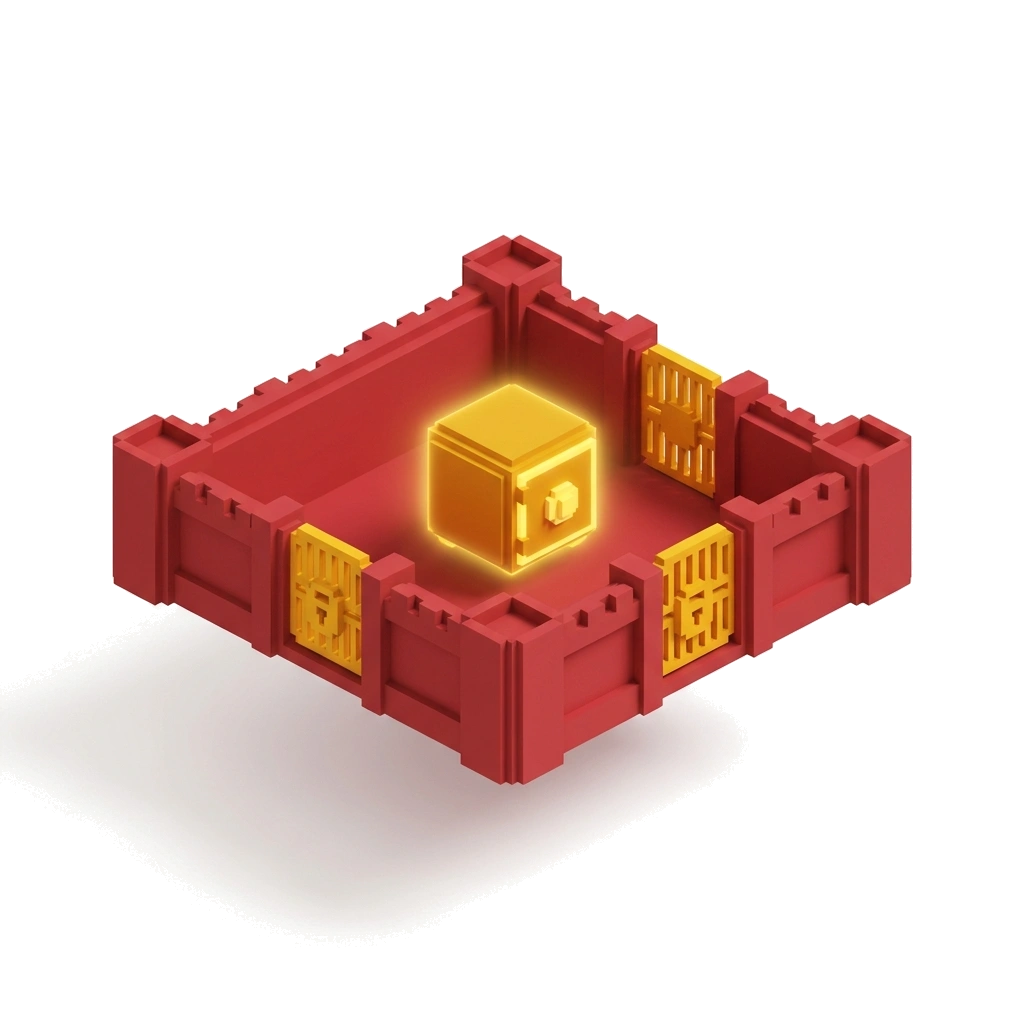
Terraform VPC Service Controls Security Guide
VPC Service Controls (VPC-SC) create a security perimeter around Google Cloud managed services (like BigQuery, Cloud Storage, and SQL) to block data exfiltration. Using a custom Terraform module allows teams to declaratively deploy perimeters, manage access levels, and leverage dry-run mode to prevent unexpected outages.
By Mateusz Chmielewski · Jul 24, 2026 · 25 min read
What Is VPC Service Controls?
VPC Service Controls (VPC-SC) is a Google Cloud security feature that allows organizations to define logical perimeters around Google-managed API resources (e.g., Cloud Storage buckets, BigQuery datasets) to control data flow.
Think of IAM as the keycard to your office building—it proves who you are and what you can touch. Think of VPC Service Controls as security guards at the exit doors—they guarantee that even with a valid keycard, sensitive files cannot leave the building.
| Concept | Explanation | When to use |
|---|---|---|
| Access Policy | The top-level container defined at the GCP Organization level. | Created once per organization to hold all perimeters and access levels. |
| Service Perimeter | The security boundary around specific GCP projects and services. | Grouping production projects holding sensitive dataset APIs (e.g., BigQuery, GCS). |
| Access Level | A set of attribute checks (IP ranges, user identities, device posture). | Defining rules such as 'Allow access only from Corporate VPN IPs'. |
| Ingress / Egress Rules | Explicit exceptions allowing data to enter or leave the perimeter. | Permitting a third-party SaaS tool or CI/CD pipeline to push data into a secured project. |
| Dry-Run Mode | A testing state where violations are logged but not actually blocked. | Testing new security policies on live workloads without risking downtime. |
| Bridge Perimeter | A special perimeter that joins two regular perimeters so their projects can communicate through restricted services. | When two business units need controlled data sharing between their respective VPC-SC perimeters. |
| Ingress Rule | An explicit policy that allows data to enter the perimeter from specified identities, projects, or networks. | Allowing Cloud Build, Dataflow, or an external partner project to write data into a protected project. |
| Egress Rule | An explicit policy that allows data to leave the perimeter to specified destinations. | Permitting backups to a dedicated archival project or publishing metrics to a shared observability project. |
Why Use VPC-SC in Organizations?
Traditional IAM security relies entirely on identity authentication. If a developer's service account key is leaked, or an employee exfiltrates data, they can copy BigQuery tables directly to external storage buckets.
VPC Service Controls adds context-based security. Even with full admin credentials, requests originating outside an approved IP address or VPC network inside the perimeter boundary are blocked. Combine perimeters with [Organization Policy Defaults](/tutorial/gcp-organization-policies-defaults-terraform-module), [Static Egress Gateways](/tutorial/cloud-run-gke-static-egress-ip-terraform-serverless-vpc-access-nat), [IAM Recommender Least Privilege](/tutorial/fix-overprivileged-iam-policy-analyzer-recommender), [Secret Manager Automatic Rotation](/tutorial/gcp-secret-manager-terraform-module-automatic-rotation), and [GKE Spot VMs](/tutorial/spot-vms-preemptible-gke-cost-optimization).
| Feature | thisService | altA | altB |
|---|---|---|---|
| Secures | PaaS / Managed APIs (GCS, BQ) | Identities (Users/SAs) | Compute Layer (VMs/GKE) |
| Prevents Exfiltration | Yes (Blocks inter-project/external transfers) | No (Keys can be reused anywhere) | Partial (Egress filtering on VMs) |
| Granularity | Identity + IP + Device + Context | Role-based | Port/Protocol/IP based |
| Performance Impact | Zero (Control plane level evaluation) | None | Low |
Prerequisites
- GCP Organization Account with active billing
- Access Context Manager Admin Role (`roles/accesscontextmanager.policyAdmin`) assigned at Organization level
- Terraform CLI — Version v1.5.0+ installed locally or in CI/CD runner
- An existing Access Policy ID or permission to create one at org level
Step-by-Step Guide
Step 1: Define Module Inputs (variables.tf)
Configuring input variables for Access Policy ID, project lists, restricted services, and dry-run toggles. Provides a flexible configuration abstraction for reusability across multiple landing zones.
variable "access_policy_id" {
  description = "Numeric ID of the existing Access Context Manager policy"
  type        = string
}

variable "perimeter_name" {
  description = "Human-readable name for the service perimeter"
  type        = string
}

variable "perimeter_type" {
  description = "PERIMETER_TYPE_REGULAR or PERIMETER_TYPE_BRIDGE"
  type        = string
  default     = "PERIMETER_TYPE_REGULAR"
}

variable "protected_projects" {
  description = "List of project numbers as projects/NUMERIC_ID"
  type        = list(string)
  default     = []
}

variable "restricted_services" {
  description = "Google APIs to restrict inside the perimeter"
  type        = list(string)
  default     = ["bigquery.googleapis.com", "storage.googleapis.com"]
}

variable "access_level_ip_subnets" {
  description = "Corporate IP ranges allowed to access resources inside the perimeter"
  type        = list(string)
  default     = []
}

variable "access_level_allowed_identities" {
  description = "Specific user or service account identities allowed by access levels"
  type        = list(string)
  default     = []
}

variable "ingress_policies" {
  description = "List of ingress rules allowing data into the perimeter"
  type = list(object({
    from_identities    = optional(list(string), [])
    from_access_levels = optional(list(string), [])
    from_resources     = optional(list(string), ["*"])
    to_resources       = optional(list(string), ["*"])
    to_operations      = optional(list(string), ["*"])
  }))
  default = []
}

variable "egress_policies" {
  description = "List of egress rules allowing data out of the perimeter"
  type = list(object({
    from_identities = optional(list(string), [])
    to_resources    = optional(list(string), ["*"])
    to_operations   = optional(list(string), ["*"])
  }))
  default = []
}

variable "dry_run" {
  description = "When true, rules are evaluated in spec (dry-run) instead of status (enforced)"
  type        = bool
  default     = true
}
Step 2: Build Core Module Logic (main.tf)
Writing Access Context Manager access levels and perimeter resources supporting enforced (status) and dry-run (spec) blocks. Allows continuous testing in dry-run mode before enforcing real blocks.
locals {
  access_level_name = "accessPolicies/${var.access_policy_id}/accessLevels/${var.perimeter_name}_access"
}

resource "google_access_context_manager_access_level" "conditional_access" {
  count  = length(var.access_level_ip_subnets) > 0 || length(var.access_level_allowed_identities) > 0 ? 1 : 0
  parent = "accessPolicies/${var.access_policy_id}"
  name   = local.access_level_name
  title  = "${var.perimeter_name}_access"

  basic {
    conditions {
      ip_subnetworks = length(var.access_level_ip_subnets) > 0 ? var.access_level_ip_subnets : null
      members        = length(var.access_level_allowed_identities) > 0 ? var.access_level_allowed_identities : null
    }
  }
}

resource "google_access_context_manager_service_perimeter" "vpc_sc_perimeter" {
  parent         = "accessPolicies/${var.access_policy_id}"
  name           = "accessPolicies/${var.access_policy_id}/servicePerimeters/${var.perimeter_name}"
  title          = var.perimeter_name
  perimeter_type = var.perimeter_type

  dynamic "status" {
    for_each = var.dry_run ? [] : [1]
    content {
      restricted_services = var.restricted_services
      resources           = var.protected_projects
      access_levels       = length(google_access_context_manager_access_level.conditional_access) > 0 ? [local.access_level_name] : []

      dynamic "ingress_policies" {
        for_each = var.ingress_policies
        content {
          ingress_from {
            identities    = ingress_policies.value.from_identities
            access_levels = ingress_policies.value.from_access_levels
            resources     = ingress_policies.value.from_resources
          }
          ingress_to {
            resources = ingress_policies.value.to_resources
            operations {
              service_name = "*"
              method_selectors {
                method = "*"
              }
            }
          }
        }
      }

      dynamic "egress_policies" {
        for_each = var.egress_policies
        content {
          egress_from {
            identities = egress_policies.value.from_identities
          }
          egress_to {
            resources = egress_policies.value.to_resources
            operations {
              service_name = "*"
              method_selectors {
                method = "*"
              }
            }
          }
        }
      }
    }
  }

  dynamic "spec" {
    for_each = var.dry_run ? [1] : []
    content {
      restricted_services = var.restricted_services
      resources           = var.protected_projects
      access_levels       = length(google_access_context_manager_access_level.conditional_access) > 0 ? [local.access_level_name] : []

      dynamic "ingress_policies" {
        for_each = var.ingress_policies
        content {
          ingress_from {
            identities    = ingress_policies.value.from_identities
            access_levels = ingress_policies.value.from_access_levels
            resources     = ingress_policies.value.from_resources
          }
          ingress_to {
            resources = ingress_policies.value.to_resources
            operations {
              service_name = "*"
              method_selectors {
                method = "*"
              }
            }
          }
        }
      }

      dynamic "egress_policies" {
        for_each = var.egress_policies
        content {
          egress_from {
            identities = egress_policies.value.from_identities
          }
          egress_to {
            resources = egress_policies.value.to_resources
            operations {
              service_name = "*"
              method_selectors {
                method = "*"
              }
            }
          }
        }
      }
    }
  }
}
Step 3: Instantiate and Apply Custom Module
Calling custom module from root repository to protect analytics project. Applies perimeter boundaries declaratively to GCP infrastructure.
module "analytics_vpc_sc_perimeter" {
  source = "./modules/terraform-google-vpc-sc"

  access_policy_id   = "123456789012"
  perimeter_name     = "analytics_prod_perimeter"
  dry_run            = true
  protected_projects = ["projects/987654321098"]
  restricted_services = [
    "bigquery.googleapis.com",
    "storage.googleapis.com",
    "secretmanager.googleapis.com"
  ]
  access_level_ip_subnets       = ["198.51.100.0/24"]
  access_level_allowed_identities = ["user:[email protected]"]

  ingress_policies = [
    {
      from_identities = ["serviceAccount:[email protected]"]
      from_resources  = ["projects/111111111111"]
      to_resources    = ["projects/987654321098"]
    }
  ]

  egress_policies = [
    {
      from_identities = ["serviceAccount:[email protected]"]
      to_resources    = ["projects/222222222222"]
    }
  ]
}
Step 4: Expose Module Outputs (outputs.tf)
Returning the created perimeter name, access level name, and dry-run flag for downstream automation. Downstream CI/CD pipelines and documentation generators can reference perimeter metadata without hard-coding strings.
output "perimeter_name" {
  description = "Full resource name of the service perimeter"
  value       = google_access_context_manager_service_perimeter.vpc_sc_perimeter.name
}

output "perimeter_title" {
  description = "Human-readable title of the service perimeter"
  value       = google_access_context_manager_service_perimeter.vpc_sc_perimeter.title
}

output "access_level_name" {
  description = "Full resource name of the access level, if created"
  value       = length(google_access_context_manager_access_level.conditional_access) > 0 ? local.access_level_name : null
}

output "is_dry_run" {
  description = "Whether the perimeter is currently in dry-run mode"
  value       = var.dry_run
}
Step 5: Connect Two Perimeters with a Bridge
Creating a bridge perimeter that allows two regular perimeters to exchange data through restricted services without dissolving their boundaries. Supports M&A integrations, shared data platforms, or central logging while keeping each business unit's perimeter isolated.
module "analytics_sales_bridge" {
  source = "./modules/terraform-google-vpc-sc"

  access_policy_id   = "123456789012"
  perimeter_name     = "analytics_sales_bridge"
  perimeter_type     = "PERIMETER_TYPE_BRIDGE"
  dry_run            = false
  protected_projects = [
    "projects/987654321098",  # analytics prod
    "projects/876543210987",  # sales prod
  ]
  restricted_services = []
}
Step 6: Implement Multi-Environment Promotion
Using the same module across dev, staging, and production with environment-specific variables. Guarantees that perimeters tested in lower environments are promoted verbatim, reducing production surprises.
locals {
  env_config = {
    dev = {
      projects     = ["projects/333333333333"]
      dry_run      = true
      ip_allowlist = ["203.0.113.0/24"]
    }
    staging = {
      projects     = ["projects/444444444444"]
      dry_run      = true
      ip_allowlist = ["203.0.113.0/24"]
    }
    prod = {
      projects     = ["projects/987654321098"]
      dry_run      = false
      ip_allowlist = ["198.51.100.0/24"]
    }
  }
}

module "env_perimeter" {
  source   = "./modules/terraform-google-vpc-sc"
  for_each = local.env_config

  access_policy_id        = "123456789012"
  perimeter_name          = "${each.key}_data_perimeter"
  dry_run                 = each.value.dry_run
  protected_projects      = each.value.projects
  restricted_services     = ["bigquery.googleapis.com", "storage.googleapis.com"]
  access_level_ip_subnets = each.value.ip_allowlist
}
Step 7: Integrate with CI/CD and Cloud Build
Allowing Cloud Build service accounts and GitHub Actions runners to operate inside the perimeter using ingress rules and access levels. Modern deployment pipelines must read secrets and write artifacts without bypassing data exfiltration controls.
module "cicd_vpc_sc_perimeter" {
  source = "./modules/terraform-google-vpc-sc"

  access_policy_id   = "123456789012"
  perimeter_name     = "cicd_prod_perimeter"
  dry_run            = true
  protected_projects = ["projects/987654321098"]
  restricted_services = [
    "secretmanager.googleapis.com",
    "storage.googleapis.com",
    "artifactregistry.googleapis.com"
  ]

  access_level_allowed_identities = [
    "serviceAccount:[email protected]"
  ]

  ingress_policies = [
    {
      from_identities = ["serviceAccount:[email protected]"]
      from_resources  = ["*"]
      to_resources    = ["projects/987654321098"]
    },
    {
      from_access_levels = ["accessPolicies/123456789012/accessLevels/corp_vpn"]
      from_resources     = ["*"]
      to_resources       = ["projects/987654321098"]
    }
  ]
}
Verification & Telemetry Logging
Best Practices
- Use Numeric Project Numbers
- Granular Ingress and Egress Scoping
- Restrict Only the Services You Actually Use
- Tag Access Levels for Reuse
- Plan Egress for Backups and Observability
Common Mistakes
- {"errorCode":"PERIMETER_VIOLATION","symptoms":"HTTP 403 status errors mentioning VPC Service Controls in response payloads.","rootCause":"An API call crossed the perimeter boundary without matching an authorized Access Level or Ingress/Egress rule.","fixCommand":"gcloud logging read 'resource.type=\"audited_resource\" AND protoPayload.status.code=7' --limit=1","code":"ingress_policies = [\n {\n from_identities = [\"serviceAccount:[email protected]\"]\n from_resources = [\"projects/111111111111\"]\n to_resources = [\"projects/987654321098\"]\n }\n]\n","language":"hcl","filename":"main.tf","prevention":"Thoroughly test workloads in Dry-Run mode for 7–14 days prior to enforcing policies."}
- {"errorCode":"INVALID_ARGUMENT","symptoms":"Terraform apply fails with `Project IDs are not supported` or `Resource must be a project number`.","rootCause":"VPC-SC APIs require numeric project numbers, not human-readable project IDs.","fixCommand":"gcloud projects describe my-project-id --format='value(projectNumber)'","code":"data \"google_project\" \"protected\" {\n project_id = \"analytics-prod\"\n}\n\nmodule \"analytics_vpc_sc_perimeter\" {\n source = \"./modules/terraform-google-vpc-sc\"\n\n protected_projects = [\"projects/${data.google_project.protected.number}\"]\n}\n","language":"hcl","filename":"main.tf","prevention":"Use a data source such as `data.google_project` to resolve project numbers in Terraform."}
- {"errorCode":"FAILED_PRECONDITION","symptoms":"Creating a bridge perimeter fails with `Cannot set restricted_services for bridge perimeter`.","rootCause":"Bridge perimeters only link projects across regular perimeters and cannot define their own services or access levels.","fixCommand":"Remove restricted_services, access_levels, and ingress/egress policies from the bridge module call.","code":"module \"analytics_sales_bridge\" {\n source = \"./modules/terraform-google-vpc-sc\"\n\n access_policy_id = \"123456789012\"\n perimeter_name = \"analytics_sales_bridge\"\n perimeter_type = \"PERIMETER_TYPE_BRIDGE\"\n dry_run = false\n protected_projects = [\n \"projects/987654321098\",\n \"projects/876543210987\",\n ]\n restricted_services = []\n access_level_ip_subnets = []\n access_level_allowed_identities = []\n ingress_policies = []\n egress_policies = []\n}\n","language":"hcl","filename":"main.tf","prevention":"Validate perimeter_type before passing service-specific configuration into the module."}
- {"errorCode":"DRY_RUN_FALSE_POSITIVE","symptoms":"Dry-run logs show no violations, but enforcement breaks a workload immediately.","rootCause":"Some APIs only evaluate certain operations in enforced mode, or traffic patterns differ between test and production windows.","fixCommand":"Revert `dry_run = true`, analyze Cloud Audit Logs for 14 days, then re-enforce.","code":"module \"analytics_vpc_sc_perimeter\" {\n source = \"./modules/terraform-google-vpc-sc\"\n\n access_policy_id = \"123456789012\"\n perimeter_name = \"analytics_prod_perimeter\"\n dry_run = true\n protected_projects = [\"projects/987654321098\"]\n restricted_services = [\n \"bigquery.googleapis.com\",\n \"storage.googleapis.com\",\n ]\n}\n","language":"hcl","filename":"main.tf","prevention":"Run dry-run across a full business cycle including batch jobs, CI/CD, and monthly reporting before enforcement."}
Cost Analysis
| Feature | metric | cost1k | cost10k | cost100k | cost1m |
|---|---|---|---|---|---|
| VPC-SC Controls | $0.00 | $0.00 | $0.00 | $0.00 | |
| Cloud Logging | ~$5.00 | ~$5.00 | ~$5.00 | ~$5.00 |